
Compound Parameter (PT)
Compound Parameter (PT)
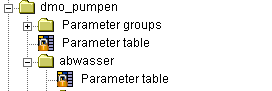
After choosing the group and compound, parameter tables in the group are edited in the comboboxes of the management system, via the button PT or by selection in the ePOS explorer. If the parameter tables do no exist at this time, it will be created on request.
In the compound parameter table, all parameters which are accessed in this compound must be defined - see structure: Parameter.
With the tab "Using Parameter groups", you can switch to the parameter groups allocation.
The direct compound parameters have the following attributes:
Column | Meaning |
Name | Parameter name, max. 16 characters |
Designation | Brief description of the parameter (optional) |
Type | Type of data (character string, integer, decimal, logical) |
Index | up to 3 dimensions (optional) |
G/L | Scope: (Global / Local), default value: local |
Init | default value, initialization (optional) |
Unit | Random unit (optional) |
Format | Format specification for number representation (optional) |
Comment | Additional information, only visible here (optional) |
see also: