
Creating the decision table
Creating the decision table
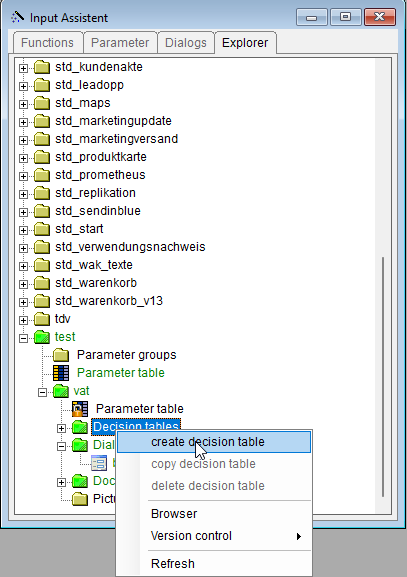
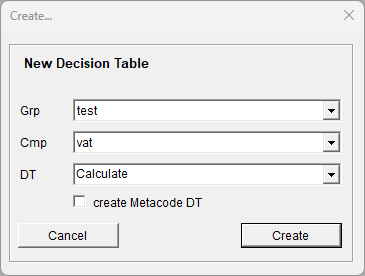
To calculate the price after tax, create a decision table with the name: Calculate. Select the group "Test" and the compound "VAT" in the Input Assistant. From the right-click context menu, select the entry "Create decision table". In the dialog that follows, enter the name "Calculate".
In the newly created decision table, please delete the unneeded rows and columns and enter the following formula:
GrossPrice = NetPrice * (1+ VAT / 100)
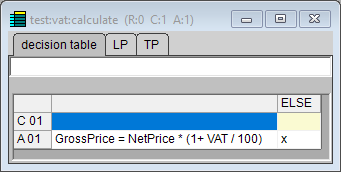
Fig.: Decision table for the calculation