
Creating the parameter table
Creating the parameter table
The decision tables and dialogs work with parameters. The necessary parameters should be defined first.
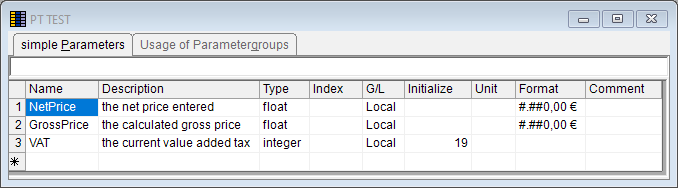
NetPrice (the specified price before tax)
GrossPrice (the calculated price after tax)
VAT (the current value-added tax)
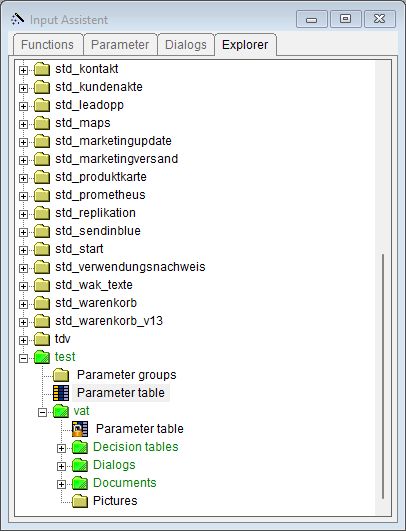
Create the parameter table through the entry "Parameter table" in the
Input Assistant.
Please fill out the table as follows:
The definition of the parameters generally take place in parallel to the creation of dialogs and decision tables. Then, the parameters can be retrieved from the Input Assistant via drag&drop. This is more convenient and prevents typing errors.