
Dialog Object Register
Dialog Object Register
The register allows you to clearly arrange a large number of dialog objects in tabs.
The register is marked by clicking the middle of the area.
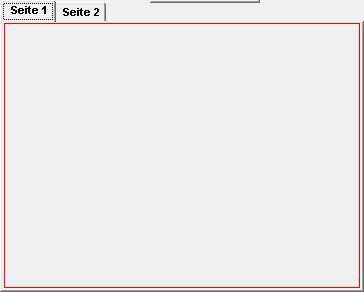
After creating a register, any number of dialog objects can be pulled in and of course out of the element. If a dialog object lies completely within the register, it is automatically assigned to the active tab. By switching the active tab, the register can be filled.
A dialog can only contain one register. If it is deleted, all dialog objects in the register - after a query - are automatically deleted as well.
In addition to the general properties, a register has the following properties:
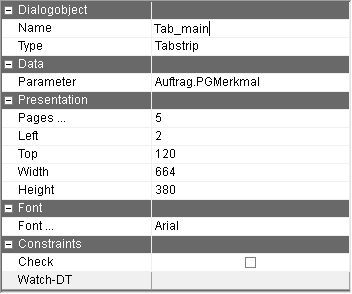
Parameter | The name of the parameter assigned to the register. The number of the active register is written onto this parameter. Furthermore the register is selected if the parameter has a valid value. |
check | By activating the check, the choice of register can be reacted to directly during the execution of the dialog. |
Pages | The number of register tabs is displayed. The button with the 3 dots appears when clicking on this row. Clicking on this button makes the page editor appear. |
Editing the register tabs:
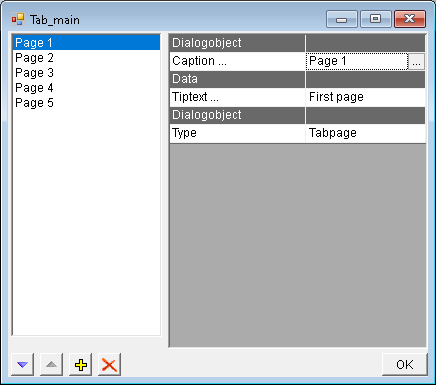
In this window register tabs can be deleted, added and resorted. The texts of the different languages can be recorded in the window which is opened via the button.
Caption | This is the caption of the selected register. |
Tiptext … | Multilingual assignment of a tip text (tooltip). This tip text is displayed only in PROMETHEUS. This option is only visible if the "Export dialog to PROMETHEUS" option in the "Local settings" in the "Dialog" tab in the "PROMETHEUS" group is active. |