
Skip table of contents

The Context Menu in the Dialog Editor


The Context Menu in the Dialog Editor

One or more marked dialog objects are simultaneously edited in the context menu. The context menu is activated by right clicking the background of the dialog mask. The mouse cursor cannot be over a dialog field.

The following functions are available:
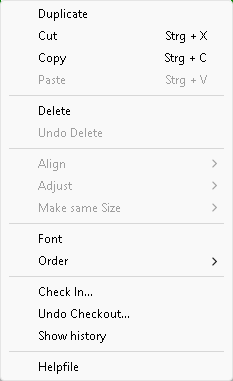
dialog_editor_context.png

See also:

Duplicate

Cut (<Ctrl>X)

Copy (<Ctrl>C)

Paste (<Ctrl>V)

Delete

Undo Delete

Arrange

Align

Adapt Size

Font Type

Order

Check-in

Check-out

Help File

JavaScript errors detected

Please note, these errors can depend on your browser setup.

If this problem persists, please contact our support.