
The Test Execution
The Test Execution
With the help of the text execution, the process of decision tables can be tested comfortably. The individual decision table instructions can be analyzed and watched step by step, the process itself can be changed directly online.
At the top of the test execution window is always the current position in the process, the DT name and the number of the currently executed or tested rule. During the execution of the action part, the number of the next action is also displayed.
In the window area below, the current rule from the DT is displayed, whereby the conditions start with a "?". In the action part the next action (not yet executed) is marked by a small arrow (">") on the left hand side of the window.
At the start of a decision table call up, all rules are checked one at a time and the check result is displayed (rule met or rule not met). The actions are blended in once the rule which is to be executed is confirmed.
Below the decision table area, the test execution reports are displayed, e.g. parameter values are given.
Finally there follows a command line, in which any action can be freely entered. The action is executed with the !5 button.
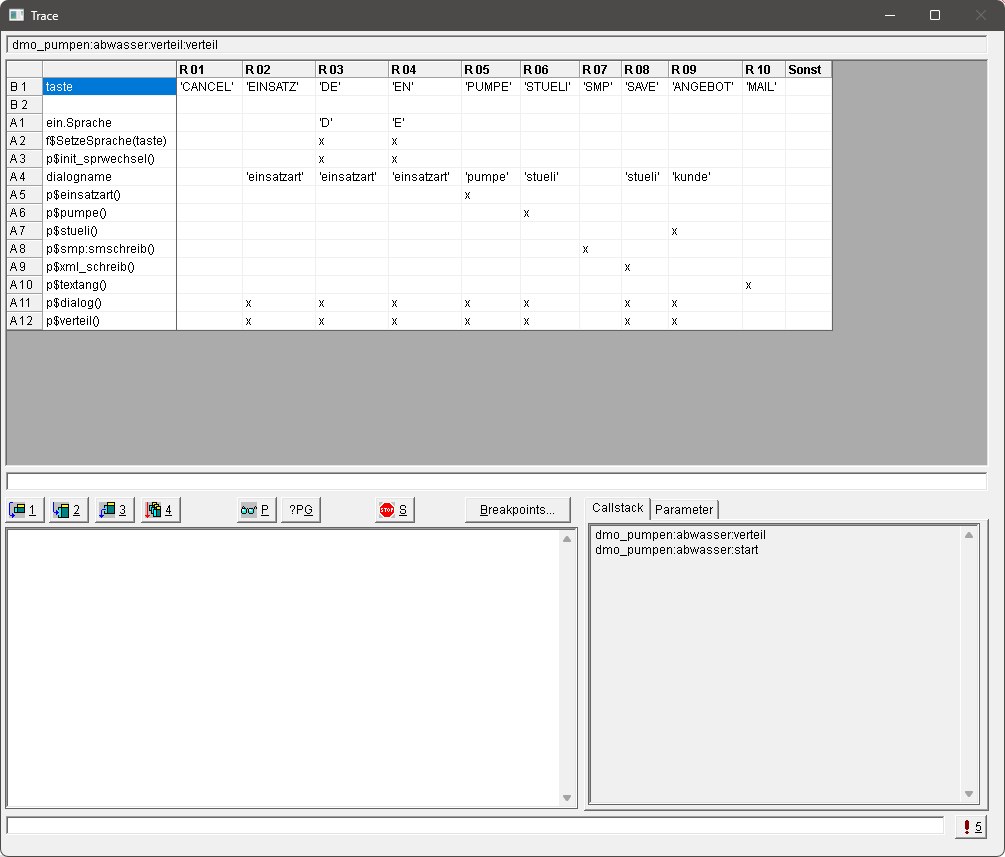
In the lower right hand area of the window, there is a register with information on the current call up Order or a list of parameters which you can enter yourself and whose value is updated automatically. The parameter values can be changed at this stage as well.
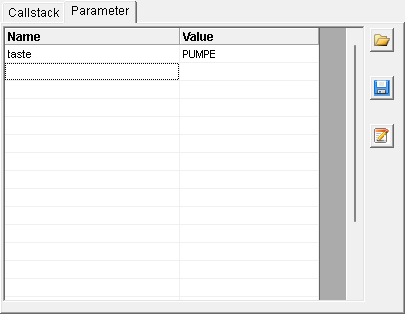
The list of the parameters to be monitored can be saved and loaded again at later executions.
Hint:
Next to or together with the text execution, other aids can also be used:
Displaying screen reports (f$Message).
Displaying values of a parameter group on the screen (p$TDV:Param:PGEdit or p$TDV:Param:PGAnzeige) or in a file (p$TDV:Param:EposOut)
Definition of a monitoring logic (see in the group control function)
See also: