
Application characteristics
application characteristics
The following dialog is used to edit the application characteristics.
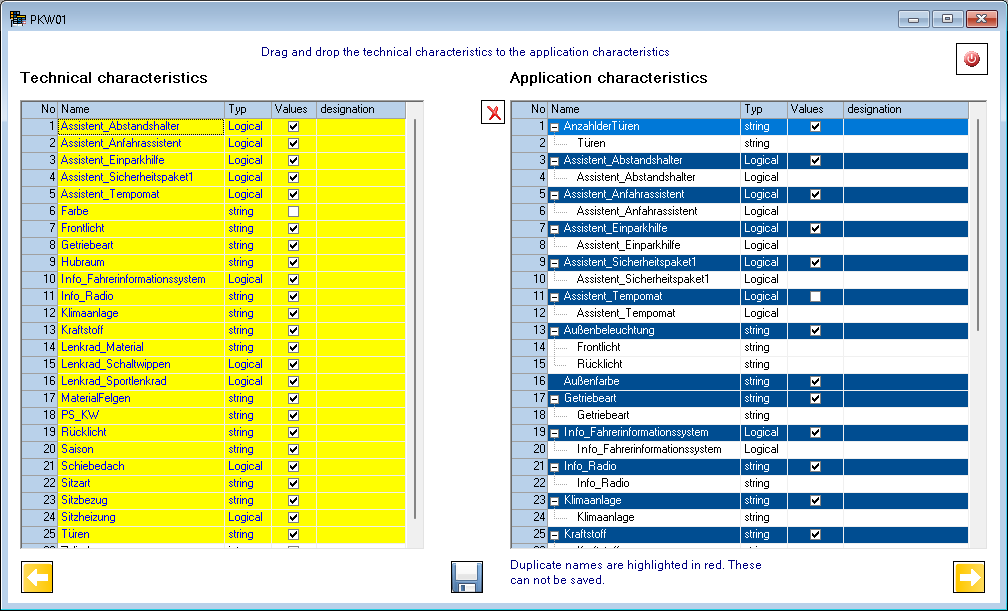
The technical characteristics are shown on the left. As in the previous dialog, the values of the technical characteristics can be edited. All technical characteristics that were assigned during the definition of the application characteristics are highlighted in yellow.
On the right, the application characteristics and their assignment to the technical characteristics are processed. The application features are marked in blue. If duplicate names are entered, they are marked in red. Duplicate names can not be saved. The following options exist for their processing:
Drag and drop a technical feature to the application characteristics. If the line <new> is selected as the target, an application characteristic with the name of the technical characteristic is created and the technical characteristic is also assigned. If a different line is selected as the target, the technical characteristic is assigned to the relevant application characteristic.
Edit in line <new>: Create a new application characteristic.
The rows of the application characteristics can be edited directly in the table.
As well as the technical features, a data type must be assigned to the application characteristics. It is recommended to enter a designation. The designation is used by generating the dialog.
By clicking on the checkbox of the value column, the dialog for editing the values is also displayed. For the application characteristics, a column for selecting the respective values is displayed for each assigned technical characteristic. In addition to the column value, German and English.
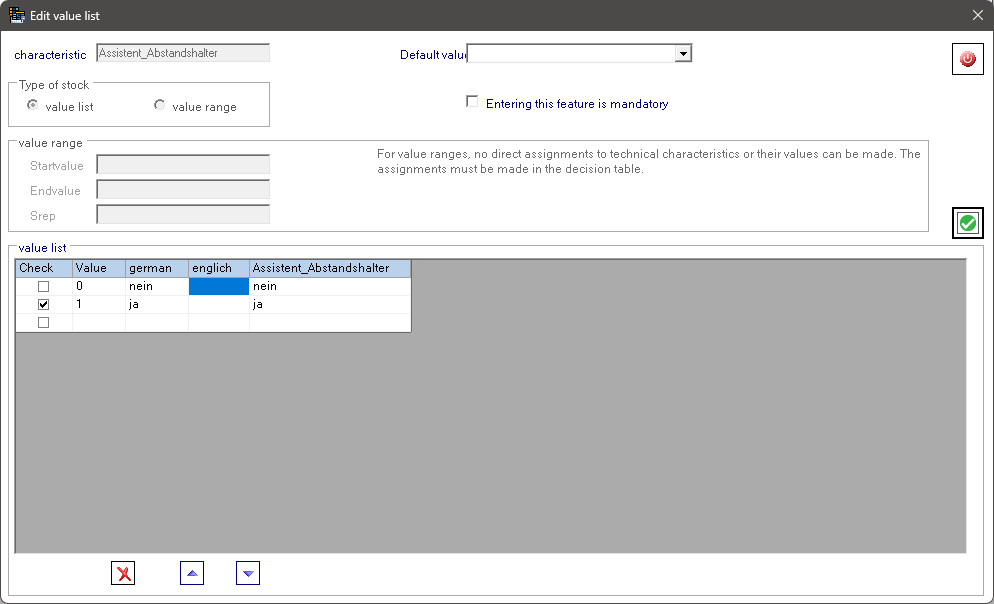
In addition, you can enter a default value for the application characteristics and the marking of whether the characteristic is mandatory. By clicking on the checkbox in the column Check, a dialog is opened, which allows the maintenance of the test criteria. If test criteria are entered, this value of the application characteristic is only displayed if the test criteria are met. If several test criteria are entered, all must be fulfilled.

For complex test criteria, this can be entered as a formula. The formulas can contain all valid ePOS commands.