
Context Menus in the Decision Table Editor
Context Menus in the Decision Table Editor
Several different context menus are offered in the decision table editor depending on the current position of the mouse cursor.
Row Menu
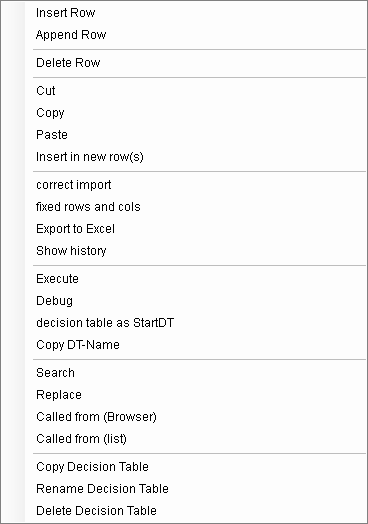
This menu appears if the mouse cursor is in the gray area on the left hand edge of the decision table (condition "Cnn" or action "Ann"):
Column Menu
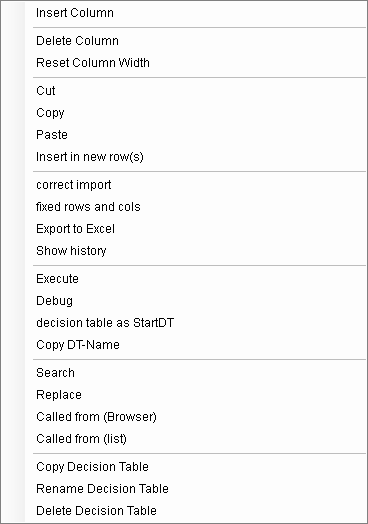
This menu appears if the mouse cursor is in the gray area in column heading (Rule "Rnn"):
Menu
The field menu fades in if the mouse cursor is inside the decision table above the field.
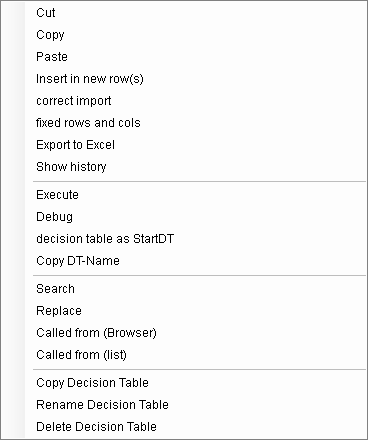
Several rows, columns or cells can be selected at once.
"Edit"
With this command you can adapt a decision table that was imported from older ePOS versions or third-party programs. Notably, identical or similar column entries are summarized and presented in a clearer way.
„Fixed rows and cols":
Fixing the view means that when scrolling horizontally or vertically, the fixed columns and rows remain still so that you can always see the 1st column and the condition row for example. When the fixate function is activated, the current cell is used as a border between the fixed and the non fixed areas. By selecting this menu option again the fixating function will be deactivated.
"Export to Excel":
The current DT is exported into Excel and Excel is opened subsequently.
"Check In"
After editing and testing of the rule based controls has taken place, this function copies the current status into the database and the work mode is changed to read-only.
"Check Out"
The element or rather the affected elementss are copied from the database to the processing directory if the element is not checked out by another user. All affected elements in the processing directory are worked on without being write-protected and are marked as checked out by the user in the database.
"Cancel check out"
The element or rather the affected elements are copied from the database into the processing directory if the element is checked out by this user. The element is first copied into a folder .bak. All affected elements in the processing directory are set to read-only.
"Run"
The current DT is executed. You should only execute the starting DT of the compound. DTs with arguments or return values cannot be executed.
"Test Execution"
The current DT is executed in test mode.
"Set decision table as starting DT"
The current DT is set as the starting DT for later executions.
"Copying DT name"
The name of the DT including the group and compound is inserted on the clipboard in order to use it on other parts.