Display a progress dialog
Display a progress dialog
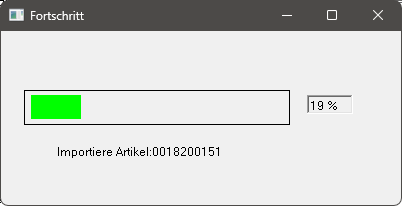
The following three functions belong together and serve to graphically show the user the progress of rule-based controls which take longer (e.g. updating a shopping cart). When beginning the rule-based control, the function p$tdv:progress:start( Count , message ) must always be called. In the process loop the function: p$tdv:progress:loop( Number , Count , message ) is then called and at the end of the rule-based control the function: p$tdv:progress:end() is called respectively.
Syntax: | p$tdv:progress:start( Count , message ) p$tdv:progress:loop( Number , Count , message ) p$tdv:progress:end() | ||
| Argument | Type | Meaning |
| Count | Integer | Count of the data sets or actions to be processed. This value should not be modified from call to call. |
| Message | String | Message text displayed in the dialog. |
| Number | Integer | Number of the current processing stage |
Example: | Message = 'Start' and at the end | ||
The dialog displayed looks like this: