
Edit the Configuration
Edit the Configuration
The structure of the product and the assignment of the technical characteristics to the individual components are made in the following dialog:
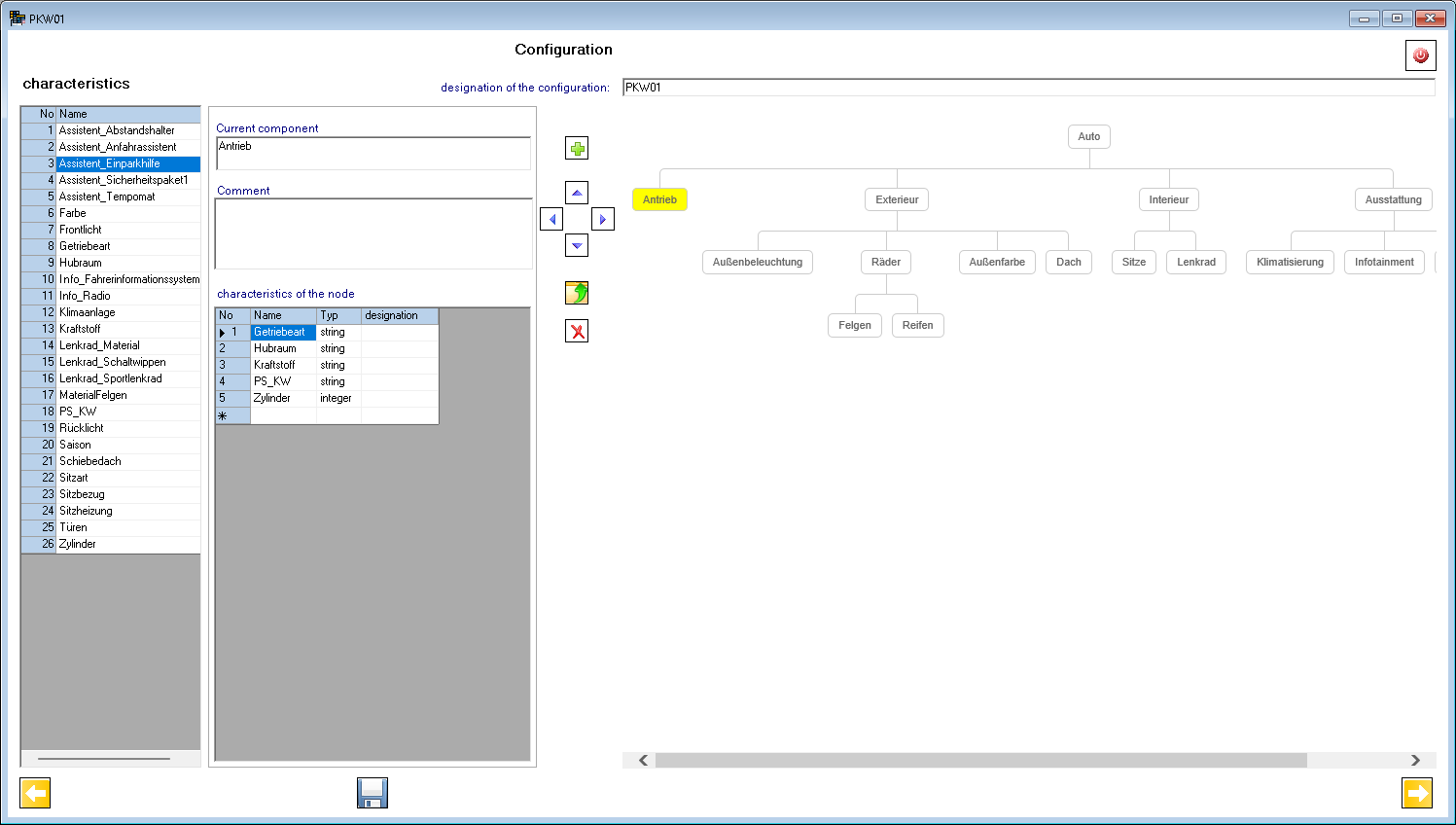
In the right part of the dialog, the structure of the product is displayed as a tree.

With the  button a new node is created below the current node (yellow colored). Use the arrow buttons to move the current node within the tree. To hang a node directly to another parent node, use the button
  . This function requires the identification of the new parent node.
The specification of the current node is entered in the left part of the dialog. These are name, comment, and a list of features. The characteristics require, apart from a unique name, a data type and, if desired, a designation. The names of the characteristics must begin with a letter and may consist only of letters, numbers and the sign Underline. When editing the names, they are automatically corrected. The list of currently existing characteristics of all components is shown in the table on the left. Sorting the characteristics is alphabetic.
In the next dialog, you can enter the value ranges and value lists for the technical characteristics.
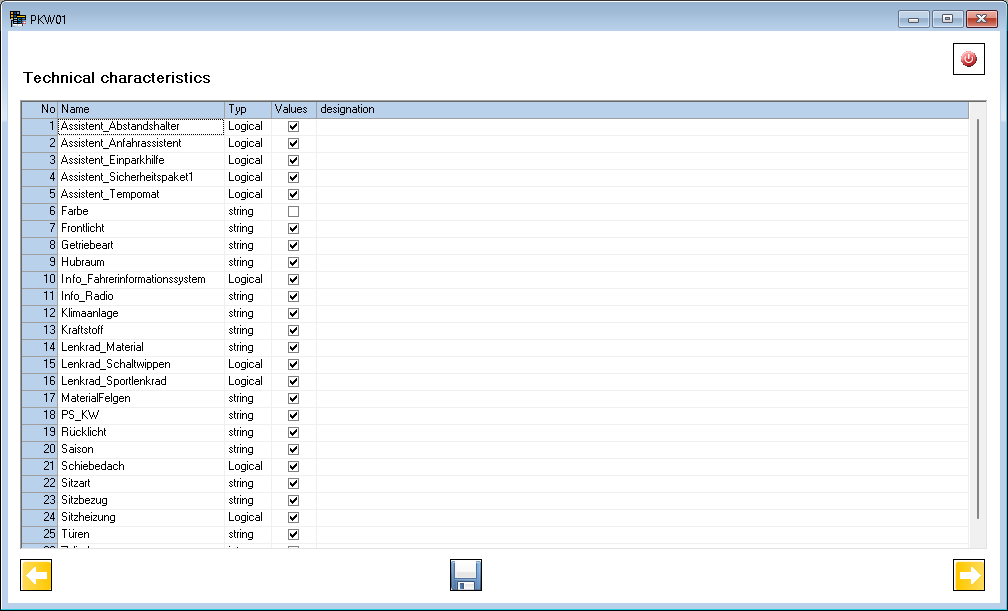
When you click on the checkbox in the Values column, the dialog for editing the values of the characteristic is opened.
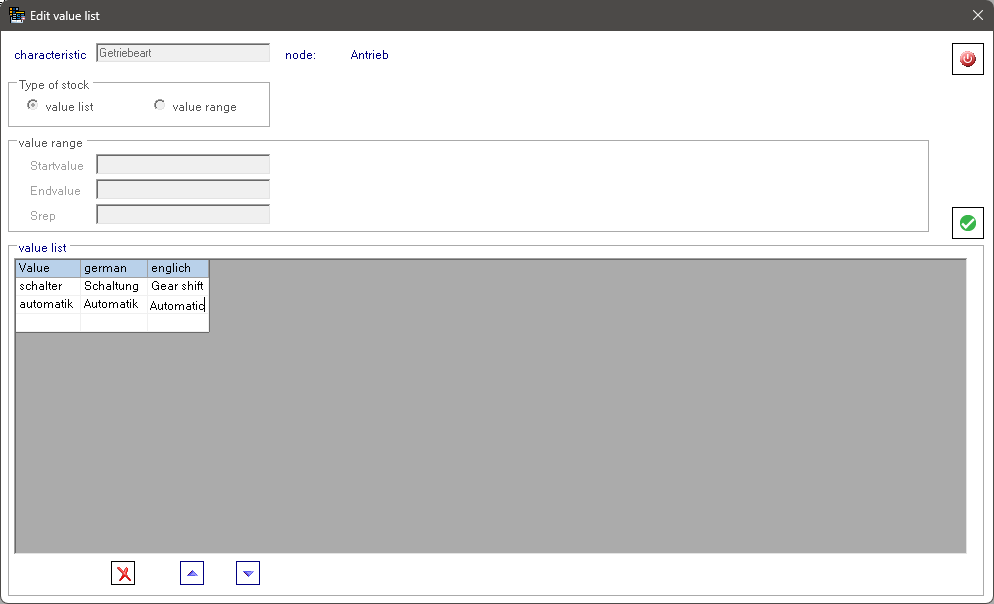
For numerical characteristics, a distinction can be made between a value list and a value range. For a value list, the values of the characteristic and its name are edited in a table. The lines can be deleted or moved with the buttons  . For a value range, a start and end value as well as a step size is entered. In the generated rules, the value lists are entered as a selection list (combo box) and the value ranges as input field in the dialog.