
f$BrowseFile (f$SucheDatei)
f$BrowseFile (f$SucheDatei)
With this function, you can select a file by opening an Explorer window.
Syntax: | File = f$BrowseFile(Mode,[Title],[Directory],[Filter],[Extension],[File]) | ||
| Argument | Type | Meaning |
| Mode | Integer | Do you want to open the file for opening (1) or saving (0)? |
| Title | String | Explorer window title. This parameter is optional. |
| Directory | String | This directory is to be searched through first. This parameter is optional. |
| Filter | String | Details for a filter to specify a file. The following syntax must be used with this: Description1 |*.Ext1| Description2 |*.Ex2 Example: the following entry for searching for text files Text files |*.txt When entering extensions you cannot use spaces. This parameter is optional. If it is not specified, all files (*.*) are searched. |
| Extension | String | File extension which is added automatically if none is given. This parameter is optional. |
| File | String | An existing file name can be given with it. It is displayed. This parameter has priority over a given directory. This parameter is optional. |
Result: | String | Name of the file | |
Example: | XMLFile = f$BrowseFile(OpenSave,' select XML-File','','XML-Files|*.xml','XML') 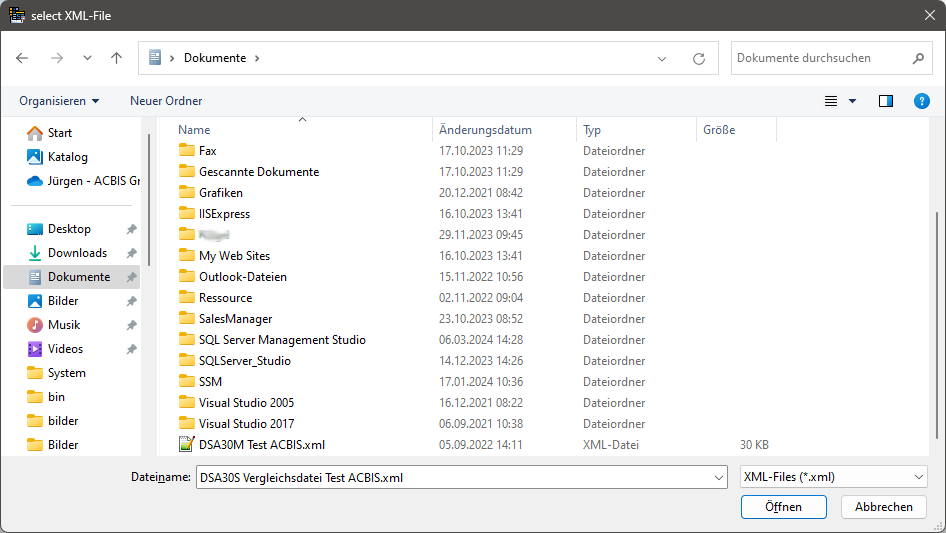 | ||
| Specify an XML file for saving data. If the user does not enter an extension, the extension .xml is automatically used. c:\example.xml is returned in this case. | ||