
Properties of a Group
Properties of a Group
The following context menu is offered for a group:
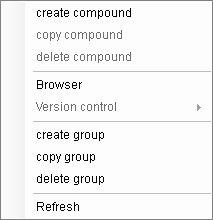
Create compound: Call up the menu function "File - Create - Compound..."
Copy compound (always deactivated). The compound has to be marked here instead.
Delete compound (always deactivated). The compound has to be marked here instead.
Create group: Call up the menu function "File - Create - Group..."
Copy group: Call up the menu function "File - Copy - Group..."
Delete group: Call up the menu function "File - Delete - Group..."
Update: The display is rebuilt
The version manager menu option offers the following menu:
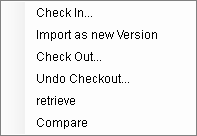
With the exception of the "display process" entry, this menu is available on all levels of the structure. Group, compound. The selected command affects all elements below this structure.
For individual elements, the menu is adapted to the state of the element. E.g. for an element that has been checked out by another user:
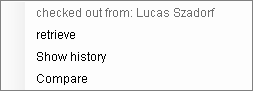
A description of the function can be found in the version management chapter.
The marked group becomes the active ePOS application (without compound).