
Version Control in the ePOS Development System
Version Control in the ePOS Development System
When the ePOS development system is started, it checks if the user is registered in the database. If this is not the case, check-in and check-out of controls is prevented. The user can still open controls to view them, but cannot modify them. If the user is registered, the path defined in the database is used, if it exists. If no path is defined, the username is appended to the path defined as the development directory, and this path is used as the working directory. If this directory does not exist, it will be created after confirmation and the current controls are retrieved. ePOS version control is deactivated if no database was set up or the ePOS administrator disables version control during setup.
In the ePOS Explorer, the elements that are currently checked out for editing are displayed in green. For better coherence, this information is passed upwards in the structure. This means that, if a decision table is checked out in a compound, the compound and group are also displayed in green. This makes it easy to recognize which compounds/groups contain elements which are checked out.
In ePOS Explorer, the context menu entry "Version control" offers the following menu:
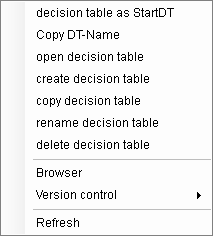
With the exception of the entry "Show history", this menu is available in all levels of the structure. The selected command affects all elements beneath the active element in the structure.
For individual elements, the menu is adapted to the state of the element. E.g. for an element that is checked out by another user:
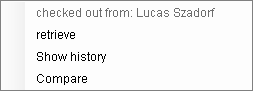
Retrieving on the group level, for example, causes all decision tales, dialogs, parameter groups, etc. of the group to be retrieved.
Meaning of the commands:
See also: