
Import ODBC Table
Import ODBC Table
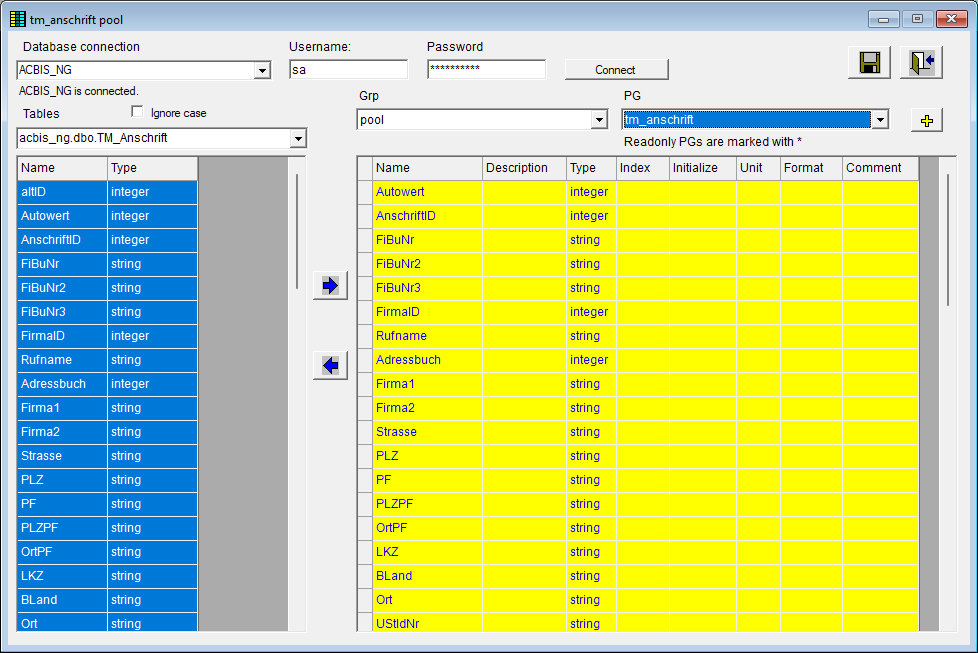
The ODBC import can be used to create and maintain parameter groups that are used for the data exchange with a database table. Accessing database tables from within decision tables occurs from the SalesManager interface or directly through the table interface, for example.
A description of the use and definition of ODBC data sources can be found in the documentation of the table interface.
When accessing a table from ePOS, a parameter group is specified whose parameters correspond to the field names in the database table source. This function then allows
parameters to be copied from a database table to the parameter group. New parameters of that data type are then created in the PG.
parameters to be removed from the parameter group.
See also: