
SAP interface
SAP interface
Attention: a separate license (EPOSSAP) is required for using this interface.
Any data can be read and written in SAP with the functions of this interface. The interface works with the RFC interface.
The interface always works with the information in the parameter group SAPDef of the type Tdv:SAP_BAPI.This parameter group carries information for the allocation of ePOS parameter groups and SAP tables. Generally with entered parameter groups in the interface, the name of the SAP field used while reading or writing the data record must be in the column Designation of the parameter group definition. The ePOS parameter group does not have to contain all fields of the table. Fields which are not of interest when writing or reading can be left out. However, you must ensure that all mandatory fields are contained and filled with valid values with writing functions. In the following chapter you can read on how to transfer a table description from SAP to ePOS.
When writing data to SAP you must ensure that the check criteria for the function are not breached. Before a data record is inserted using this interface, you should interactively insert a data record of the same type by testing the function component interactively. As a rule, every SAP function component has a structure or table in which error messages, warnings and also success notifications are returned. To verify the successful creation of a data record, the content of this table must be evaluated. In this table there are columns which identify the type of message. E stands for error. You access the display for error messages in SAP with the command se91.
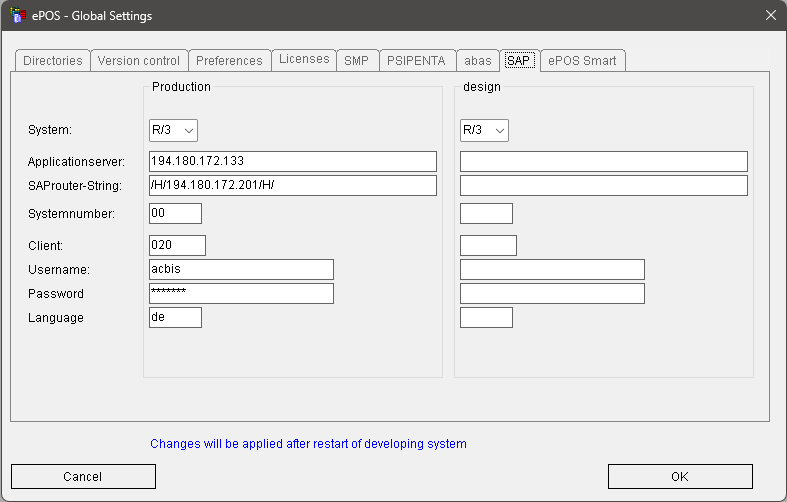
Generally, the log-in function must be called before using the interface. If this does not occur, the interface attempts to process the log-in itself. The data entered in the SAP tab in the ePOS settings is used for this.
Basic functions of the interface:
f$SAP_Login | Log in to the interface in SAP |
f$SAP_Logout | Log out from the SAP interface |
f$SAP_LoginEx | Log in to the SAP system using a command line |
f$SAP_Errortext | Read the error text of the last function |
f$SAP_Function | Execute a BAPI or a function component |
See also:
Transfer a table description to ePOS
f$SAP_Errortext (f$SAP_Fehlertext)